|
 |
|
|
|
AVerMedia DX5000
 |
AVerMedia
DX5000
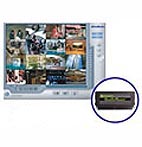
AverMedia DX5000 embeds Linux DVR on
a module, which can install a more reliable surveillance
system easily.
AVerMedia DX5000, with latest development
of video capture cards, provides a high-performance
digital video recording solution based on Linux system
and allows you to capture true color images and videos
from 4 up to 16 cameras simultaneously (cameras not
included). With the newest Motion Detection technology,
MPEG4 video compression, and easy to use user interface.
|
| Product
Options |
| Video Card |
1 Video card with
3 extension cards |
| Video output |
16 Channels |
| Display Rate (NTSC / PAL)
|
120 / 100 fps |
MPEG4 Recording Rate
(NTSC / PAL) |
100 / 100 fps |
| Features |
- Linux-based surveillance system
- Recording resolution: 320 x 240, 640
x 480 pixels (NTSC / PAL)
- Video Compression: MPEG4
- Video motion detection technology with
programmable multiple detection zones for each camera
- Intelligent shield prevents private
area from detection and recording E-map authoring
tool indicates the location and status of camera,
sensor, and replay
- Supporting remote clients to access
DVR through physical IP address
- Remote backup ensures data security
- RemoteManager for remote monitoring,
recording playback and back up
Features subject to change without notice
|
| Specifications |
- Linux OS and DVR AP on module
- 16 composite video inputs (BNC connectors)
- Recording frame rate: 5~20 fps per
channel
- Displaying frame rate: 5~30 fps per
channel
- Video Format: NTSC and PAL
- Video compression: MPEG4
- 320 x 240 / 640 x 480 pixels (NTSC
/ PAL), 16-bit YUY2
- Auto Scan with full screen display
under 1, 4, 9, 16 camera display modes
- Three-level password architecture:
Root, Administrator and Operator
- Scheduling functions: monitoring, recording,
backup, and daily backup
- Backup device: HD, CD-RW and DVD drive
- Support Pan/Tilt/Zoom (PTZ) cameras
- Supporting remote clients to access
DVR through physical IP address
- E-map authoring tool indicates the
location and status of camera, sensor, and replay
- Supporting AGC (auto gain control)
function
- Supporting TV-out: 16 channel with
auto scan
- Supporting watchdog function
- Recording
Recording modes: Alarm trigger / Motion Detection
/ Continuous / Schedule recording
Schedule recording & backup by date or by weekday
Masking zone blank under recording modes
Recycle recording
- External I/O Box: (Optional)
One D-type 15-pin connector for I/O control
4-sensor input and 3-relay output controls per set
Relay outputs control alarm, lock, light, or other
devices
Recording upon external sensor inputs
Multiple alarm trigger modes: video loss, motion detection
and sensor input
Multiple actions upon alarm: recording, relayoutput,
phone alarm, and e-mail
- Motion Detection
High performance motion detection algorithm
Programmable multiple detection zones for each camera
Intelligent shield preventing private area from detecting
- Playback
Complete playback controls: playback, backward playback,
fast forward / backward playback, forward / backward
frame-by-frame playback, playback speed control, zoom
in / out, singer-frame image print out or save to
floppy
- Remote Control (WebCam &
RemoteManager)
Center function: RemoteManager
Remote controls (PTZ camera / Sensor / Relay / Alarm
Control)
Simultaneous multiple remote surveillances via standard
web browsers
Built-in HTTP server
Remote recording / monitoring / backup through LAN
or Internet
|
| System
Requirements |
- Motherboard: Gigabyte GA-8IPE1000 PRO2
- CPU: Intel Pentium4 2.4GHz and above
- RAM: 256MB or higher
- 32-bit PCI 2.1 compliant bus slot
- HDD: 40GB or higher
- VGA: : nVidia GeForce 2 / 3 / 4/FX
(ELSA 517, 525)
- Monitor: can support 1024 * 768 @ 60Hz
|
| Package
Contents |
- Video Capture Card (each card has 4
video inputs)
- Extension Card x 3
- Audio Extension Card x1
- User Manual
- DX5000 Software CD (Including Linux
O/S, Driver, Application Software, and User's Manual)
|
|
|
| |
|
© Layton Automation & Technologies Inc.
All rights reserved.
Trademarks used with permission.
|
|